reelkit
Vertical Instagram reels (1080×1920) made from phone clips, photos and record audio.
Problem
I wanted short reels about records from my collection, built from iPhone clips of the record playing, photos of the sleeve and the record's own audio. I started by asking an AI to edit one reel by conversation.
It was slow in two ways. Every change meant a full render before I could see it, and the render ran in the cloud on two CPU cores: about 20 minutes for a 60-second reel at first. Deciding was slow too, because I could only judge a change once that render had finished. Facts on screen, such as recording dates and who played, were also easy to get wrong and hard to check afterwards.
A 13-second cut from episode 003, Green Caterpillar by the Masaru Imada Trio + 2. It has sound and plays only when you press it.
What I did
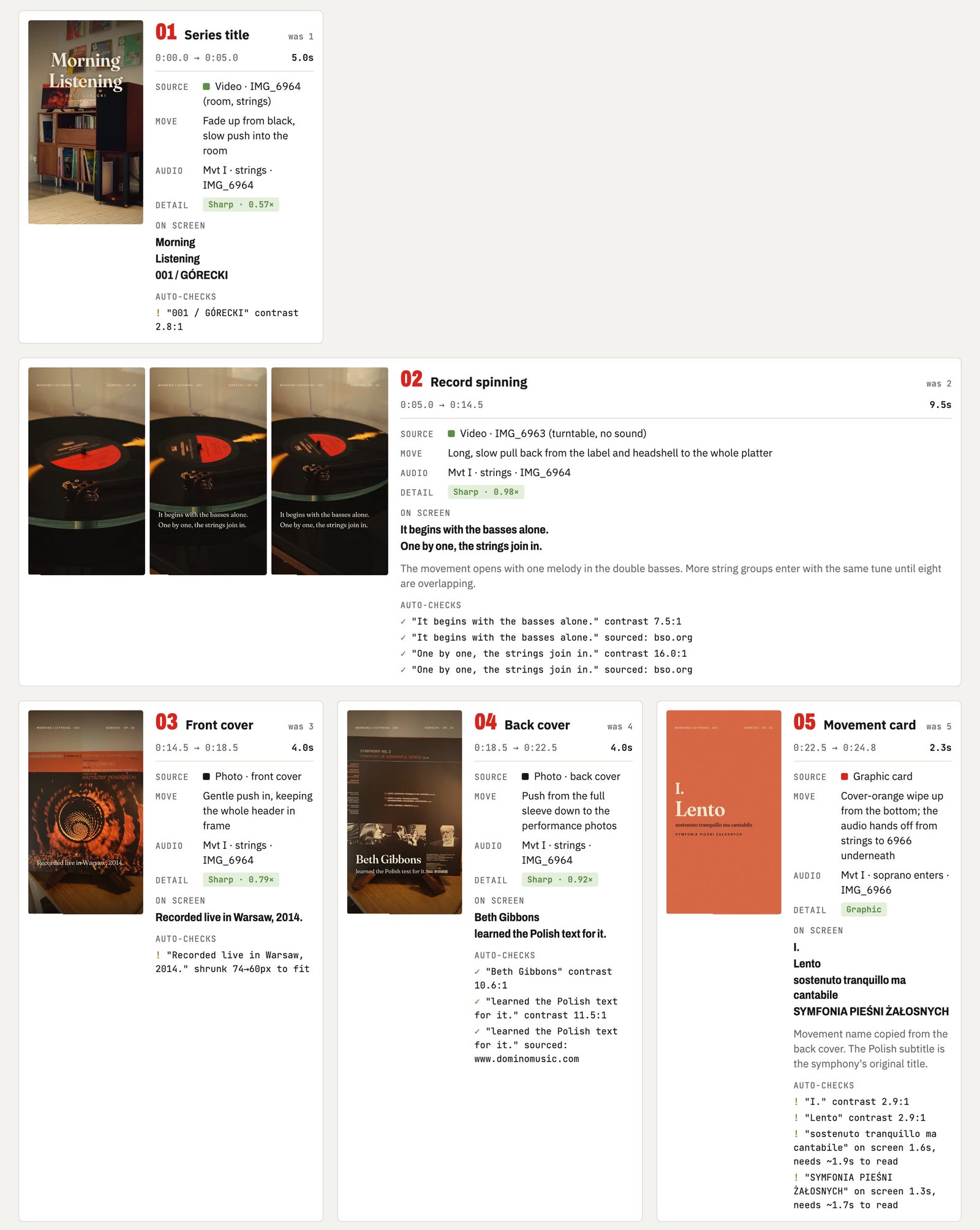
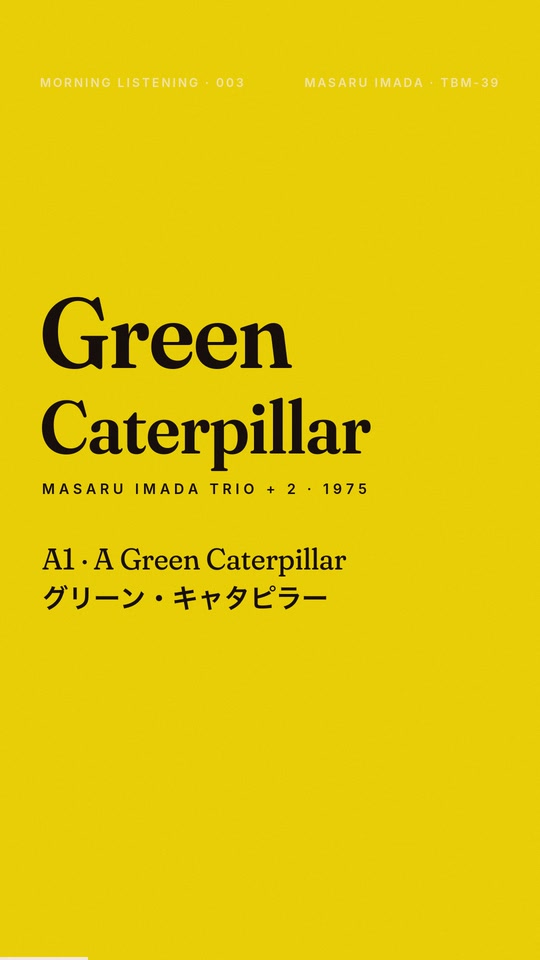
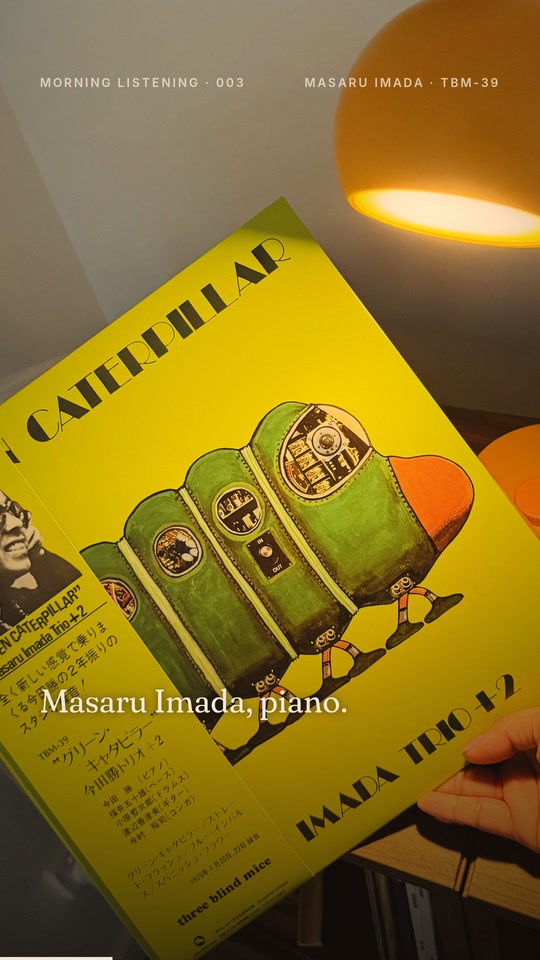
I introduced the storyboard. Before anything is rendered, the pipeline draws every shot as a real rendered frame, with its source, camera move, audio and on-screen text. I ask for changes by shot number ("shot 4: the text comes in too early"), and only the changed shots are redrawn. When I'm happy I lock the board, and the video is rendered once.
I originated the problem, wrote the requirements with an LLM, directed the agents, chose each record and its clips, reviewed every board, tested and made the decisions. Claude Code wrote the code, and OpenAI's Codex reviewed it. When the cloud sandbox was too slow, I pushed the work onto my own Mac and its hardware.
Three episodes of a series called Morning Listening have been made with it: Górecki's Symphony No. 3, Isao Suzuki's Orang-Utan and Masaru Imada's Green Caterpillar.
How it works
- Intake. Code probes the clips and photos and makes contact sheets. It also measures tempo, loudness and the sleeve's palette.
- Audio bed on the beat. The record's audio is mixed into one bed, and the cuts are placed on its beat.
- Shot list. Code proposes a first edit with a card for each track coloured from the sleeve, crops and a colour grade. Claude Code then reads the footage, researches the record and writes the on-screen text. Every factual line carries a quote and a source.
- Storyboard and automatic checks. Each shot is rendered as its real frame and checked. I give feedback by shot number.
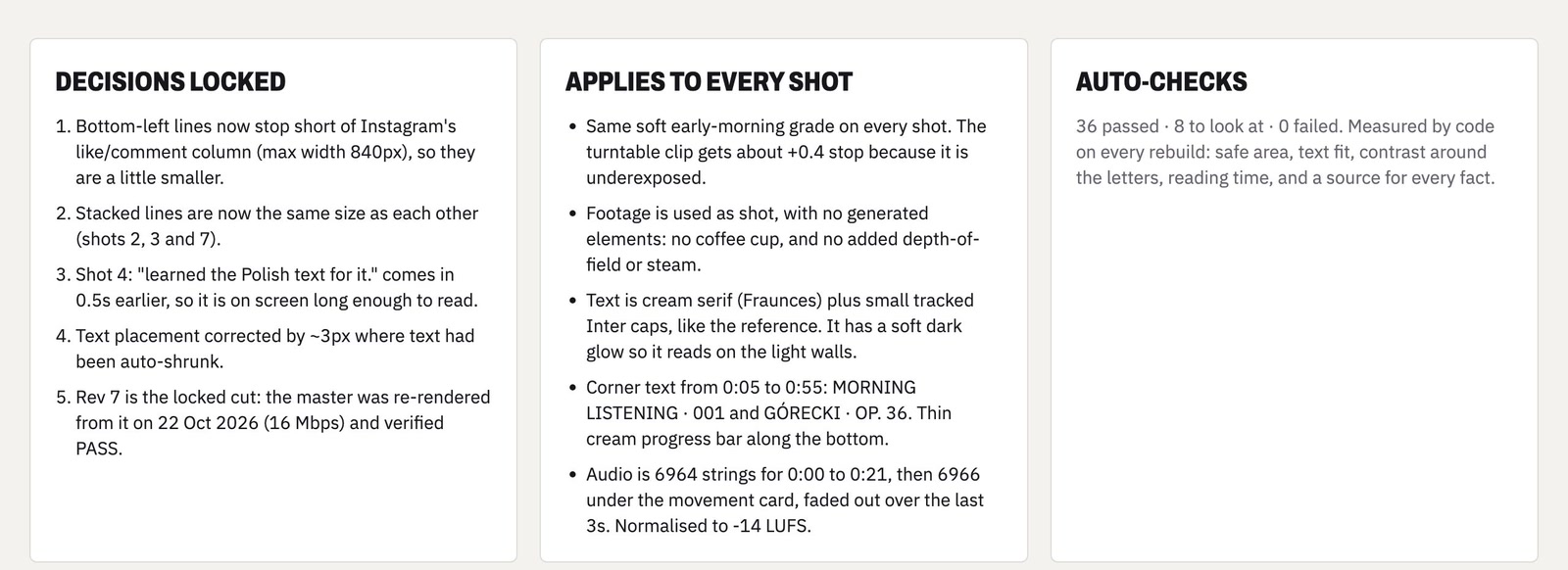
- Lock. The board is fingerprinted. The master render refuses to start if the project, audio, series style or any source file has changed since.
- Render. One render, in parallel segments.
- Verify. The master has to match its specifications and the locked board, or it isn't delivered.
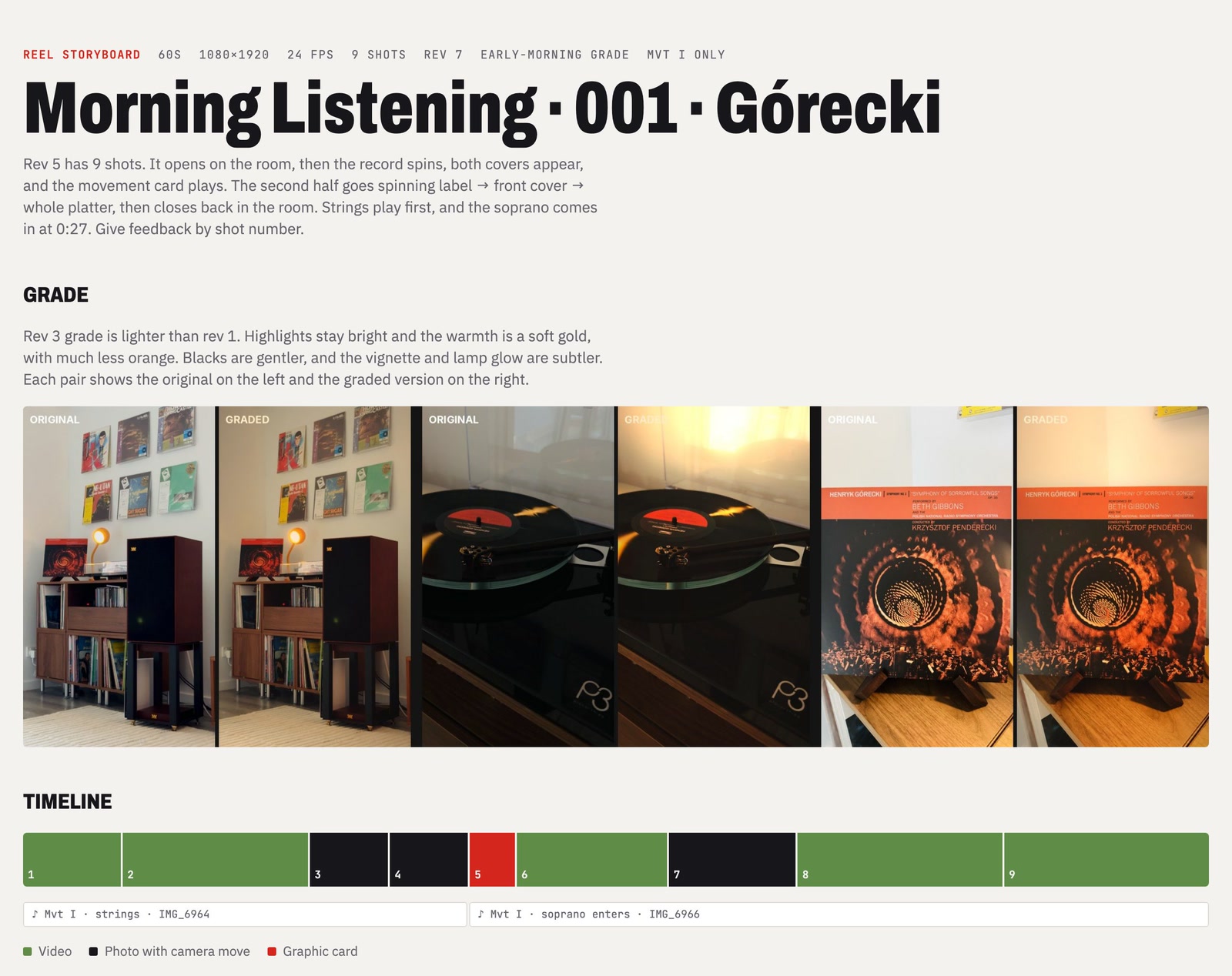
Automatic checks
Nine checks run on every board:
- text inside Instagram's safe area;
- text fit;
- contrast of at least 3:1, measured against the actual pixels behind the letters;
- reading time;
- matching type sizes;
- every fact sourced;
- blown highlights;
- near-duplicate shots;
- how much each crop enlarges its source.
Every text overlay is either tagged with a fact ID, which needs a quote and a link, or marked as plain copy. The checks fail anything in between.
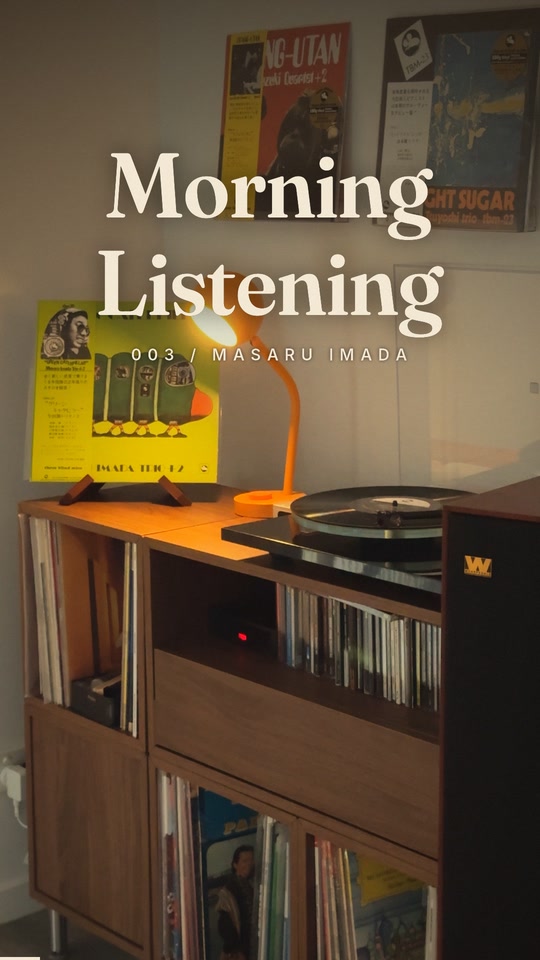
These four frames are from the episode 003 board. They are what I approve, and the master is checked against them.

Design choices
- The storyboard is the real render. What I approve is what gets delivered, and the final check confirms it.
- No render without a lock. One code path builds every frame, so the board, the preview and the master cannot drift apart.
- Quality kept where it shows. The source frame rate is kept, because converting 24 fps to 30 makes a spinning record judder.
- Personal media stays out of git. iPhone photos carry GPS and the audio comes from commercial records, so clips, photos, audio and renders are not in the repository.
Results and limits
- master render of a 60-second reel on an M2 Pro (v1: about 20 min)
- 54 s
- automatic checks on every board
- 9
- episodes with a saved verification report that passes (001 and 003, of 3 made)
- 2
The render got faster because the master is cut into about two segments per CPU core. Each worker composes its own frames and sends them to its own encoder on the Mac's hardware media engine, and the segments are joined without re-encoding. On a cloud machine with 2 cores the same render took 7 to 8 minutes, so it needs the Mac.
Verification checks the master against its specifications (1080×1920, 24 fps, BT.709) and for loudness, and compares one frame per shot with the locked board. The target is −14 LUFS and the check accepts −15 to −12. Episode 001 measured −13.2 LUFS and episode 003 measured −14.2 LUFS. Every check in both saved reports passed.
The code was also reviewed independently. OpenAI's Codex read the pipeline and reported 11 findings ranked by severity, each with a failure scenario. For example, a HEIC conversion could overwrite a photo and a render could start without approval. The lead agent checked them against the code and split the fixes into tasks, each owning its own files with acceptance criteria. Codex then re-checked every fix. It marked some as only partly resolved and raised four new findings, which went into a follow-up task.
The render figure is one episode on one machine. It is not an end-to-end editing saving, and I haven't measured one. This is a personal workflow with no other users. The verification reports show that two particular episodes passed, not that the pipeline is correct for every input. There is no unit-test suite; I check changes by comparing storyboard frames and re-verifying delivered masters.
Stack
Skills, CLI and APIs
What the agents worked with while building and running the pipeline.
- Agent skills
- The project's own
reel-episodeskill: the whole flow from intake, audio bed and shot list to storyboard, revisions by shot number, lock, render and verify. ship-feature, for code changes.- The HyperFrames skill, to explore an optional series intro (not part of the pipeline yet).
- CLI
- ffmpeg and ffprobe: probing clips, loudness, and rendering on the Mac's media engine (VideoToolbox).
- The
./reelrunner: setup, board, preview, lock, master and verify. - Homebrew, to install ffmpeg.
- Codex CLI, for the two independent code reviews; herdr, for the workers' terminal tabs.
- Git and the GitHub CLI.
- Research
- Web search, to source the facts shown on screen. Each one has a quote and a link in
facts.json. - MCP
- None for this project.